Blog / Masterclass · 5 min read
How Atlas Operators Set Up an AI Workspace: The Full Workshop
A two-hour, hands-on session in which Colin Pal walks Atlas EAs through the four components of an AI workspace, for themselves and for their executives: the command centre, the second brain, the memory system and the integrations layer. This is what 'your operator sets up your AI' looks like in practice.
 Colin Pal
Recorded 30 April 2026 · Published 2 November 2026
- Why This Workshop, and Why Now
- Build the Harness, Not the Agent
- Component One: The Command Centre
- Component Two: The Second Brain
- Component Three: Memory
- Component Four: Integrations
- Data Ownership and Syncing
- Skills Versus Plugins
- How an Operator Sets This Up for an Executive
- If You Are a Founder
- Frequently Asked Questions
Key takeaways
- Build the harness, not the agent. Models change every week; the workspace, the second brain and the memory compound regardless of which agent sits inside them.
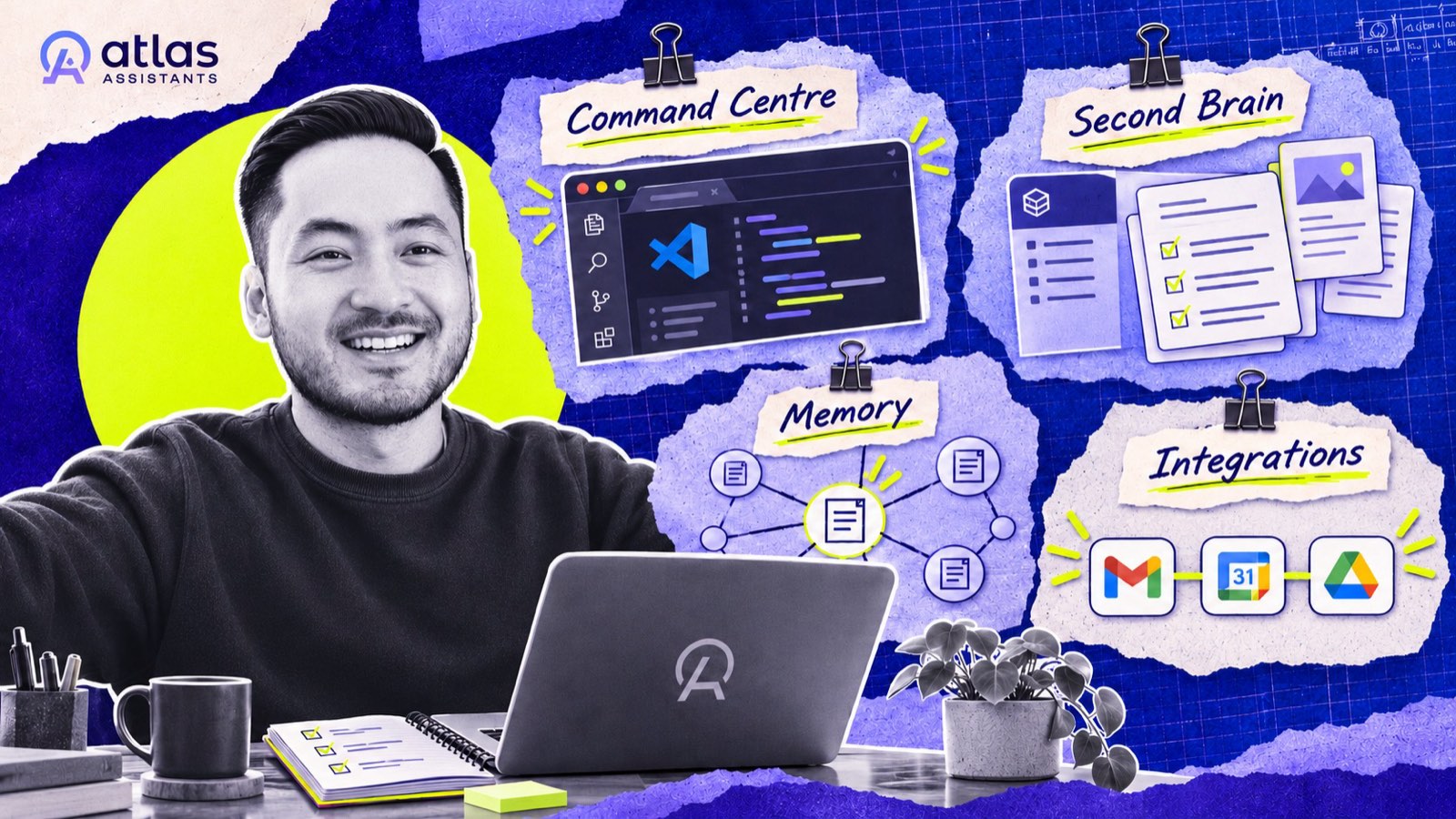
- Four components: one command centre (VS Code plus Claude Code), a local second brain built from Atlas's template, a memory system so the AI does not forget overnight, and an integrations layer connecting Gmail, Calendar, Drive and the rest.
- AI is not something you delegate to. It is something you orchestrate, which is the same 10/80/10 discipline Atlas teaches for working with a human operator.
When we say an Atlas operator sets up your AI workspace, this is what we mean. The session below is the actual training, recorded live with EAs on the bench and EAs already placed, and it runs long because Colin builds everything on screen. If you are a founder, you do not need to follow every click. You need to know what the four pieces are and why they are built in this order.

Watch on YouTube · More from the Atlas channel
Why This Workshop, and Why Now
Colin frames it as defence versus offence. Most people and most companies are still protecting what they have. A small group is adapting quickly, sitting in the discomfort, and the bet is that they win. The ask to the room is the same ask we make of ourselves.
The market signal he shares is close to home. Zion Kim, Atlas's previous CEO, now runs a company where there are more AI agents than humans. His EA was promoted to chief of staff, and he came back to Atlas to hire another EA, with one condition: she has to know how to work with AI, because the company runs on it. The need for someone to own the inbox, calendar, tasks and focus has not gone anywhere. The expectation of who does it has gone up.
The models are the dumbest they will ever be. Our job is not to work the agent. Our job is to build the harness and the intelligence layer underneath it.
Build the Harness, Not the Agent
Claude shipped 4.7 the week of the session; 4.8 was presumably weeks away. Chasing models is a losing game. What compounds is the infrastructure around them, what the AI world calls the harness: the workspace, the context, the memory, the connections. Swap the agent, keep the harness. That is why the workshop is about the four components rather than any particular tool.
Component One: The Command Centre
One interface for everything. Colin's is VS Code with the Claude Code extension, a terminal underneath, and his second brain open in the file tree. Every workflow runs from there, and Claude Code can see all of it. The practical steps are short: install an IDE (VS Code, Cursor, or Antigravity if you need a free tier with some model access), add the Claude Code extension, and also install Claude Code from the terminal so you learn the terminal. His reasoning for the second part: if neither you nor your executive is comfortable in a terminal, nobody can help the other, and an EA who can walk a founder through it stands out from ninety percent of the field.
Recommended first plugins, all from Anthropic's official marketplace: Superpowers (brainstorm, plan, execute), Frontend Design (so built pages do not look like AI slop), Playwright (lets Claude open a browser and check its own work), Skill Creator and Plugin Dev.
Component Two: The Second Brain
This is where the context lives, and it is the piece that makes the whole thing yours rather than generic. Colin shows his: meeting transcripts and summaries, daily, weekly and monthly reports, stakeholder briefs, a knowledge base of what he is researching, live projects and an archive, and his key areas of responsibility (content, finance, product, strategy this quarter). It started bare and compounds every week.
For an executive, the operator starts from Atlas's GitHub template, cloned into a local folder, and then does what EAs are good at: extracts context from the founder by voice note, call and existing documents, converts it to Markdown, and builds the folder structure around that founder's actual responsibilities. There is no one right architecture. The template is a starting point, not a mould.
Two rules sit at the top of every second brain in a file called CLAUDE.md: the directory structure, the formatting conventions, the existing skills, and the executive's preferences and hard guardrails. It is the table of contents every session reads first, kept short on purpose.
Note. the mindset shift that comes with this. Most people still delegate to AI the way they delegate a task to a person: "go do this". AI is designed to be orchestrated, not delegated to. As one EA on the call put it, delegating is telling someone what to do; orchestrating is designing the system so the pieces move on their own. It is the same discipline as Atlas's 10/80/10 for human operators: ten percent setting direction, eighty percent letting the system work, ten percent refining.
Component Three: Memory
Without it, the AI has amnesia every morning. Colin adds a persistent memory layer (Claude MEM in this build) so that context carries between sessions and the system compounds rather than restarting. It is the connective tissue most "I tried AI and it didn't stick" stories are missing.
Component Four: Integrations
Executives live across Gmail, Google Calendar, Drive, Fathom, Slack, QuickBooks. Rather than hand-coding each connection, the workshop uses Composio, which Colin describes as Zapier built for agents: connect the tools once, give the agent one connection, and it can reach everything.
Data Ownership and Syncing
A good question from the room, about permissions and data exposure, is answered by the architecture. The root of the second brain lives on the executive's own machine. It syncs two ways: Obsidian Sync, which is end-to-end encrypted and real time, so operator and executive collaborate like a shared document; and Git, which gives version control (roll back anything either of you breaks) and makes the brain mountable to agents later. Colin's own agent, Kai, has Colin's second brain mounted into its workspace for exactly that reason. Operator and executive each keep their own brain; the operator has access to the executive's, not the other way round.
Skills Versus Plugins
A skill is an SOP for the AI: one linear process. A plugin is a playbook: a set of skills, commands and connectors packaged to run a system. Colin's example is his expense plugin, with one skill that pulls and categorises QuickBooks expenses monthly and a second that audits subscriptions for tools to cancel or rebuild. His sequencing rule applies to all of it: get to the outcome first, then optimise for tokens and context, the same way you get a human process working before you systematise it.
How an Operator Sets This Up for an Executive
Not by remote-controlling the founder's laptop. By having done it for themselves first, then booking a couple of calls, sharing screens, and walking the executive through each step: install this, sign in here, clone this, here is what goes in your CLAUDE.md. Where the executive already has a second brain in Notion or Apple Notes, there is a short consulting conversation first about making it AI-native. The session ends with an assignment for the bench: build your own workspace, record proof, send it in, because Atlas is going to market with EAs who can do this on day one.
If You Are a Founder
You are watching the training your operator went through. The useful questions to ask yourself: where does my context live today, who could retrieve it without asking me, and what would it mean if an agent could? If the answers are "my head", "nobody" and "I don't know", the first hundred days with an operator start here.
Frequently Asked Questions
Do I Need to Be Technical to Follow This?
No, but it is a technical session and nobody is expected to absorb it in one sitting. Operators get a step-by-step playbook and the recording. As a founder, the value is understanding what is being built for you and why.
Where Does My Data Live in This Setup?
On your own machine. The second brain is a local folder, synced with end-to-end encryption through Obsidian Sync so your operator can collaborate in real time, and version-controlled with Git. Nothing is handed to a third-party cloud by default.
Will My Operator Do This on My Computer?
They will walk you through it on a call, step by step, from a setup they have already done for themselves. Remote access to your machine is possible but not assumed.
Atlas places and trains executive operators, and coaches the founders who work with them. See what you are actually buying or book a call.
You Might Also Like
What an AI Operator Actually Does: Inside an Atlas Coaching Call
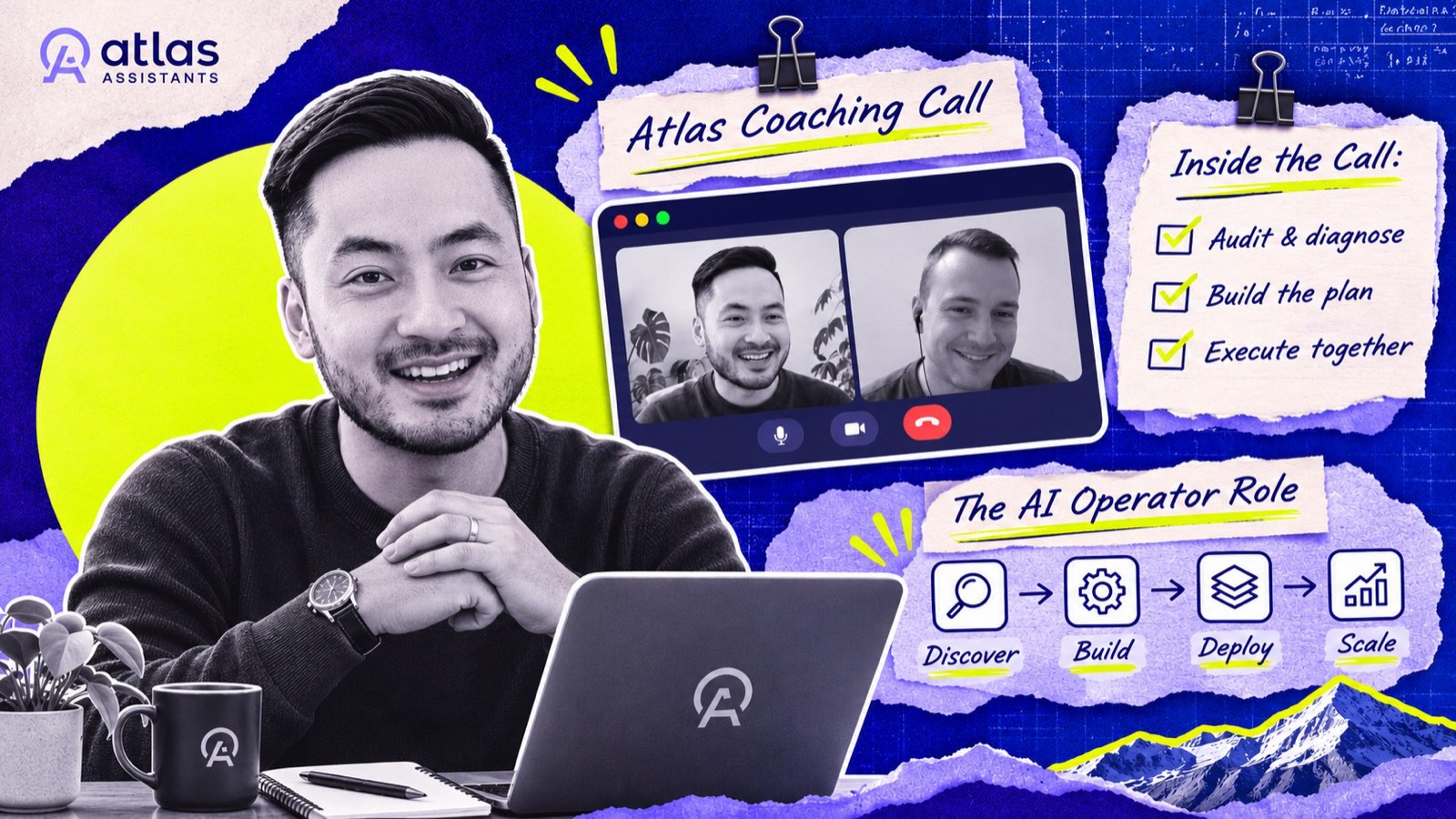
Demand for traditional EA work is falling and demand for AI-supported workflows is rising. In this recorded coaching call, Colin Pal defines the four jobs of an AI operator, shows the agent that writes his start-of-day brief, and lays out the three habits that get someone there.
The Executive Support Checklist: Every Recurring Task Your Business Runs On
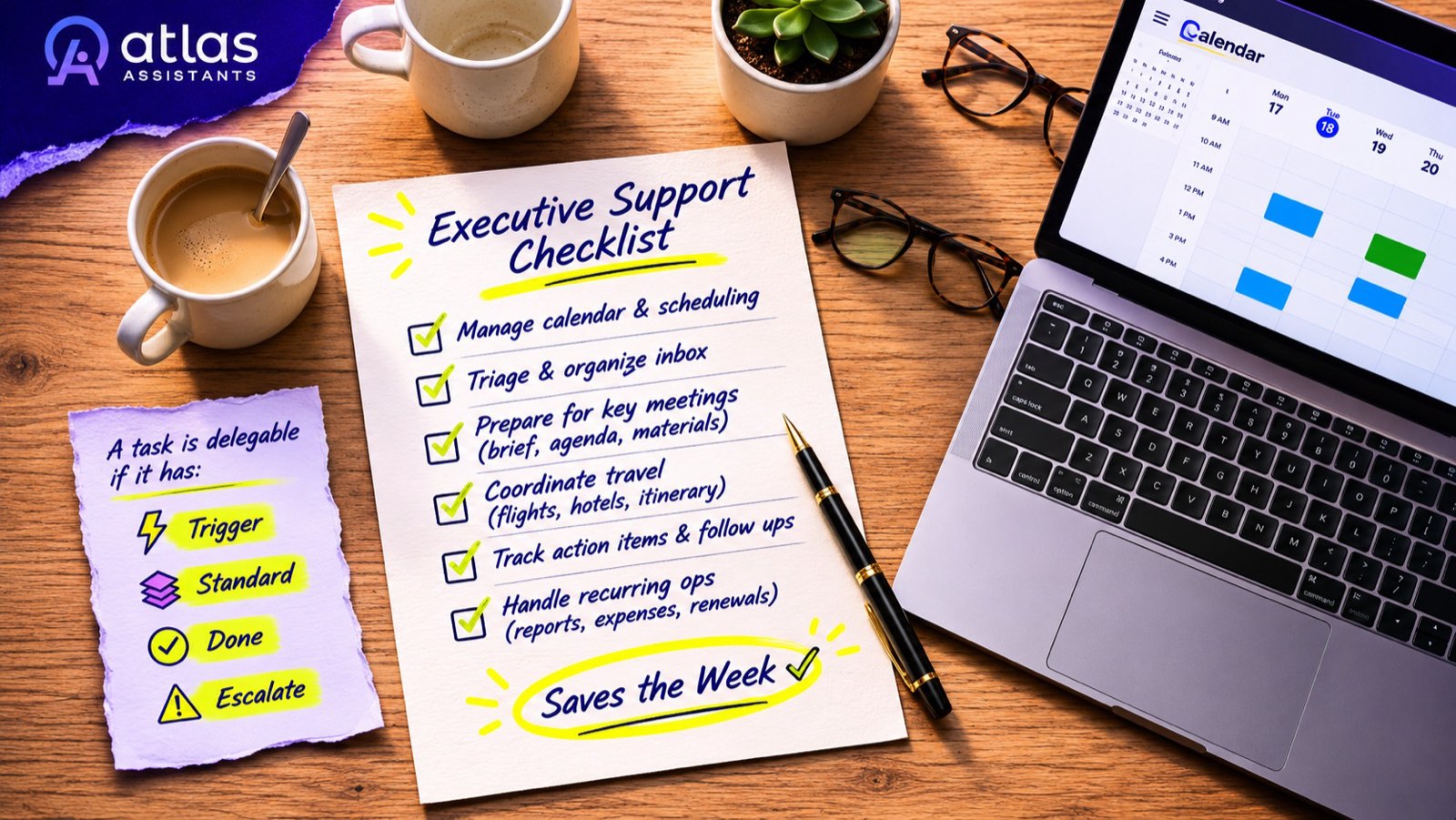
The fastest way to get your week back is not a better assistant. It is a complete list of the work that repeats, written so that someone else can own it. This is the list every Atlas operator is handed on day one.

Doing It Yourself With AI vs Hiring an AI Operator
You have ChatGPT, a Claude project and a Grok bot. So why pay a person? An honest comparison, including the cases where you should not.
You Can Make More Money.
You Cannot Make More Time
Two minutes to tell us where you are stuck. Then a conversation about whether this is the right moment for you.